
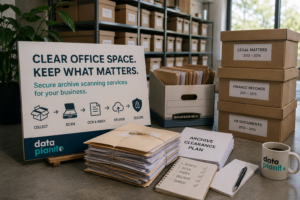
Archive Scanning Services: How to Clear an Office Archive Without Losing Access to Important Files
Most office archives are ignored until they become a problem.
Boxes get stacked in spare rooms. Filing cabinets fill up. Old client files, finance records, HR documents, project folders and compliance paperwork sit untouched for years. Nobody wants to deal with them, but nobody feels comfortable throwing them away either.
Then something changes.
The business moves office. Storage costs rise. A room is needed for staff. A file goes missing. An audit is approaching. Hybrid working makes paper access awkward. Suddenly, the archive becomes urgent.
At that point, many businesses ask a simple question:
“How do we get rid of these boxes?”
But the better question is:
“How do we clear the archive without losing access to the information inside it?”
That is where archive scanning services become valuable.
For businesses in Essex, London and the South East, Data Planit helps turn old paper archives into secure, searchable digital records. The aim is not just to remove boxes. It is to keep important business information accessible, organised and under control.
Why office archives become a problem
Paper archives usually build up slowly.
One year of records becomes five. One filing cabinet becomes a storage room. A few archive boxes become an off site storage cost. Because the archive is not usually part of day to day work, it gets pushed down the priority list.
The problem is that archived documents are often still important.
They may include client files, contracts, legal documents, finance records, HR paperwork, property documents, medical records, construction project files, insurance documents and compliance paperwork.
The business may not need these documents every day, but when they are needed, they are usually needed quickly.
That is where paper creates friction.
Somebody has to know where the file is. Somebody has to retrieve it. Somebody has to search through it. If the wrong box is opened, or if a file has been mislabelled, the delay grows.
This is why archive clearance should never be treated as a simple disposal job. Some records can be destroyed safely. Others need to be retained. Some should be digitised before the originals are shredded or returned.
The value is in making the right decision before the boxes leave the office.
Clearing space is easy. Keeping control is harder.
There are plenty of ways to clear space quickly.
You can move boxes into storage. You can ask staff to scan files internally. You can shred everything that looks old. You can leave the problem until the next office move.
But each of those options carries a risk.
Moving boxes into storage clears space, but it does not improve access. Scanning internally may sound simple, but it often leads to inconsistent naming, poor quality files and half finished projects. Shredding too quickly can create problems if important records are destroyed. Doing nothing allows the archive to keep growing.
A better office archive clearance project should achieve three things:
- Reduce the physical paper burden
- Preserve access to important information
- Create a clear, secure process for what happens next
That is where document scanning becomes useful.
Not because scanning removes boxes, but because it allows the information inside those boxes to stay available.
Start by understanding what is in the archive
Before scanning or shredding anything, the archive should be assessed.
This does not need to be complicated, but it does need to be structured.
A good archive review should identify what types of records are being held, roughly how many boxes or files there are, whether the documents are active or historic, which departments use them, whether they contain personal or sensitive information, whether there are legal or business reasons to keep them, whether originals must be retained after scanning, and how staff will need to search for the digital records afterwards.
This step matters because different records need different treatment.
A box of old marketing leaflets is not the same as a box of client contracts. A closed legal matter file is not the same as an old stationery order. A construction handover pack is not the same as internal admin paperwork.
The business needs to know what it has before deciding what to scan, store, return or destroy.
For organisations handling personal data, archive review also supports good records management. The ICO’s storage limitation guidance explains that personal data should not be kept for longer than necessary, and organisations should be able to justify how long information is retained.
Decide what needs to be scanned
Not every document needs to be scanned.
That may sound strange coming from a document scanning provider, but it is true.
A sensible archive scanning project should avoid scanning unnecessary paperwork. The goal is not to scan everything blindly. The goal is to create a usable digital archive from the records that still hold value.
The best candidates for scanning are documents that may need to be retrieved in future, support compliance or audit requirements, are difficult to find in paper form, take up significant storage space, are shared between teams, are needed by remote or hybrid workers, carry business importance, or would be costly or risky to lose.
The documents that do not need to be retained should be dealt with under the business’s own retention policy.
The National Archives advises that information should be retained only as long as needed for business, legal or historical purposes, with a retention policy applied. That principle is useful for private businesses too, even where they are not public bodies.
Make the digital archive searchable
A scanned archive is only useful if people can find what they need.
This is where many projects go wrong.
A business may end up with thousands of PDF files, but no consistent naming, no clear folder structure and no searchable text. The paper has technically gone, but the access problem remains.
A useful digital archive should be built around how the business actually searches.
A legal firm may search by client, matter number, file type or date. A construction company may search by project, drawing number, site or contractor. A finance team may search by supplier, invoice number, year or account. A healthcare administrator may search by patient reference, record type or date. An operations team may search by department, contract, customer or location.
This is why file naming, OCR and indexing matter.
OCR allows scanned documents to become text searchable. Indexing allows key information to be captured and used to organise files. Clear naming rules help staff understand what a file is before opening it.
Without this structure, the business may only replace a physical archive problem with a digital one.
Plan what happens to the paper after scanning
Office archive clearance does not end when the documents are scanned.
The business also needs to decide what happens to the originals.
Usually, there are three options:
- Return the originals to the business
- Store the originals for an agreed period
- Securely shred the originals after approval
Each option has a place.
Some businesses need originals returned because of legal, contractual or operational reasons. Others only need a short checking period before secure destruction. Some may want long term storage for certain categories of record.
The important thing is that the decision is made clearly before the project begins.
A good process should confirm who approves destruction, how long documents are held after scanning, whether a destruction certificate is required, which documents must not be destroyed, whether documents need to be returned in their original order, and how exceptions will be handled.
This protects the business and avoids confusion later.
Do not rely on staff to scan a major archive internally
It is tempting to hand archive scanning to internal staff.
On paper, it looks cheaper.
In practice, it often becomes slow, inconsistent and disruptive.
Staff have normal work to do. They may not have proper scanning equipment. They may not know how to prepare documents for scanning. File names may be inconsistent. Quality checks may be skipped. The project may start with energy, then slowly fade.
Internal scanning can work for small, simple batches.
It is rarely the best option for a proper office archive clearance project.
A structured provider can manage the full process, including collection, preparation, scanning, OCR, indexing, quality checks, secure storage and shredding.
That means staff are not pulled away from their normal work and the business gets a cleaner result.
Think about access after the archive is cleared
The best archive clearance projects improve how a business works afterwards.
The question should not only be:
“Where will the scanned files be saved?”
The better question is:
“How will people access and use these files?”
The digital files may be delivered through secure cloud upload, external drive, SharePoint, OneDrive, a document management system or another agreed platform.
What matters is that the structure is practical.
If staff need to search quickly, the files must be named and organised properly. If only certain people should access the files, permissions need to be considered. If the documents are part of a wider process, the output should support that process rather than create another filing burden.
Hybrid working has made this even more important. When staff work across different locations, businesses need information access that does not depend entirely on physical office presence.
A paper archive locked in a room does not fit the way many teams now work.
What a good archive scanning process looks like
A practical archive scanning process should be simple, but controlled.
At Data Planit, the process would usually follow this kind of structure:
- Assess the archive
Understand what is held, how much there is, how it is organised and what the business wants to achieve.
- Agree the output
Decide how the digital files should be named, structured, searched and delivered.
- Collect the documents
Arrange secure collection from the office or storage location.
- Prepare the files
Remove staples, prepare documents, separate files and identify any issues that may affect scanning.
- Scan and quality check
Create digital images and check the output for clarity, completeness and usability.
- Apply OCR or indexing where needed
Make the archive searchable and easier to navigate.
- Deliver the digital archive
Provide files in the agreed structure and format.
- Hold, return or shred originals
Deal with the paper according to the agreed instruction.
This is the difference between a box clearance exercise and a proper archive conversion project.
When should a business consider archive scanning services?
Archive scanning services are worth considering when you are moving office, running out of storage space, dealing with boxes nobody wants to own, wasting time searching for old files, paying to store records that are rarely accessed, worried about missing or damaged documents, needing better access for hybrid working, preparing for an audit or review, reducing paper before moving to better digital systems, or dealing with an archive that has become a hidden admin burden.
The strongest trigger is usually a practical one.
A move, a cost review, a missing file, a compliance concern or a lack of space forces the issue. But the businesses that benefit most are the ones that use that trigger to improve access, not just remove boxes.
The real outcome: space, access and confidence
Clearing an office archive should leave the business in a better position.
Not just with fewer boxes, but with better control.
The ideal result is less paper taking up space, faster access to important records, secure handling from collection to delivery, clear decisions on what is kept or destroyed, searchable digital files, less reliance on staff memory, a cleaner working environment, and greater confidence that important records are not hidden in forgotten boxes.
That is why office archive clearance should be treated as a business improvement project, not just a tidy up job.
FAQs about archive scanning services
What are archive scanning services?
Archive scanning services convert stored paper records into digital files. This can include document preparation, scanning, OCR, indexing, file naming, secure delivery and secure shredding where required.
Do all archive documents need to be scanned?
No. A good archive review should identify which records need to be kept, scanned, returned, stored or securely destroyed. Scanning everything without review can waste money and create unnecessary digital clutter.
Can scanned archive files be made searchable?
Yes. OCR can make scanned documents text searchable, which means staff can search for names, dates, references and keywords inside the files.
What happens to the paper after scanning?
The originals can usually be returned, stored for an agreed period or securely shredded after approval. The right option depends on the type of documents and the business’s retention requirements.
Does Data Planit provide archive scanning in Essex and London?
Yes. Data Planit provides secure document scanning and archive scanning services for businesses across Essex, London and the surrounding South East area.
Need secure archive scanning services?
If your business has old files, archive boxes or paper records taking up valuable space, Data Planit can help you clear the archive without losing access to the information inside it.
We provide secure archive scanning services for businesses across Essex, London and the South East, including document preparation, scanning, OCR, indexing, digital delivery and secure shredding where required.
Contact Data Planit today to request an archive scanning quote or arrange an archive assessment.